EasyShoppi Blog
Best GPUs for Local AI Models in India (2026)
Why VRAM Matters More Than Gaming Performance Many users assume that a faster gaming GPU automatically means better AI performance. In reality, local AI models are often limited by available VRAM.
Best GPUs for Local AI Models in India (2026)
Artificial Intelligence is no longer limited to cloud services. With tools such as Ollama, LM Studio, Open WebUI, Stable Diffusion, ComfyUI and local AI agents, users can now run powerful AI models directly on their own PCs.
However, choosing the right GPU for AI is very different from choosing a GPU for gaming.
For local AI workloads, the most important factor is usually VRAM capacity, followed by memory bandwidth, CUDA support and overall GPU performance.
If you are planning to build an AI workstation in India, this guide will help you choose the right GPU based on your workload and budget.
Why VRAM Matters More Than Gaming Performance
Many users assume that a faster gaming GPU automatically means better AI performance.
In reality, local AI models are often limited by available VRAM.
Higher VRAM allows you to:
-
Run larger language models
-
Use larger context windows
-
Generate higher-resolution AI images
-
Run multiple AI services simultaneously
-
Reduce dependence on system RAM
For serious AI workloads, VRAM is often more valuable than a small increase in GPU compute power.
Best Overall GPU for Local AI: NVIDIA GeForce RTX 5090
The RTX 5090 is currently the most powerful consumer graphics card available for local AI users.
With 32GB of GDDR7 memory, it provides enough VRAM for advanced AI workloads while still delivering outstanding gaming and creator performance.
Best For
-
Local LLMs
-
AI agents
-
Stable Diffusion
-
ComfyUI workflows
-
AI video generation
-
Content creators
Pros
-
Massive 32GB VRAM
-
Excellent memory bandwidth
-
Future-proof AI performance
-
Strong CUDA ecosystem
Cons
-
Premium pricing
-
High power consumption
For enthusiasts who want the best consumer AI experience, the RTX 5090 is currently the benchmark.
Internal Link:
Shop NVIDIA RTX 5090 Graphics Cards →
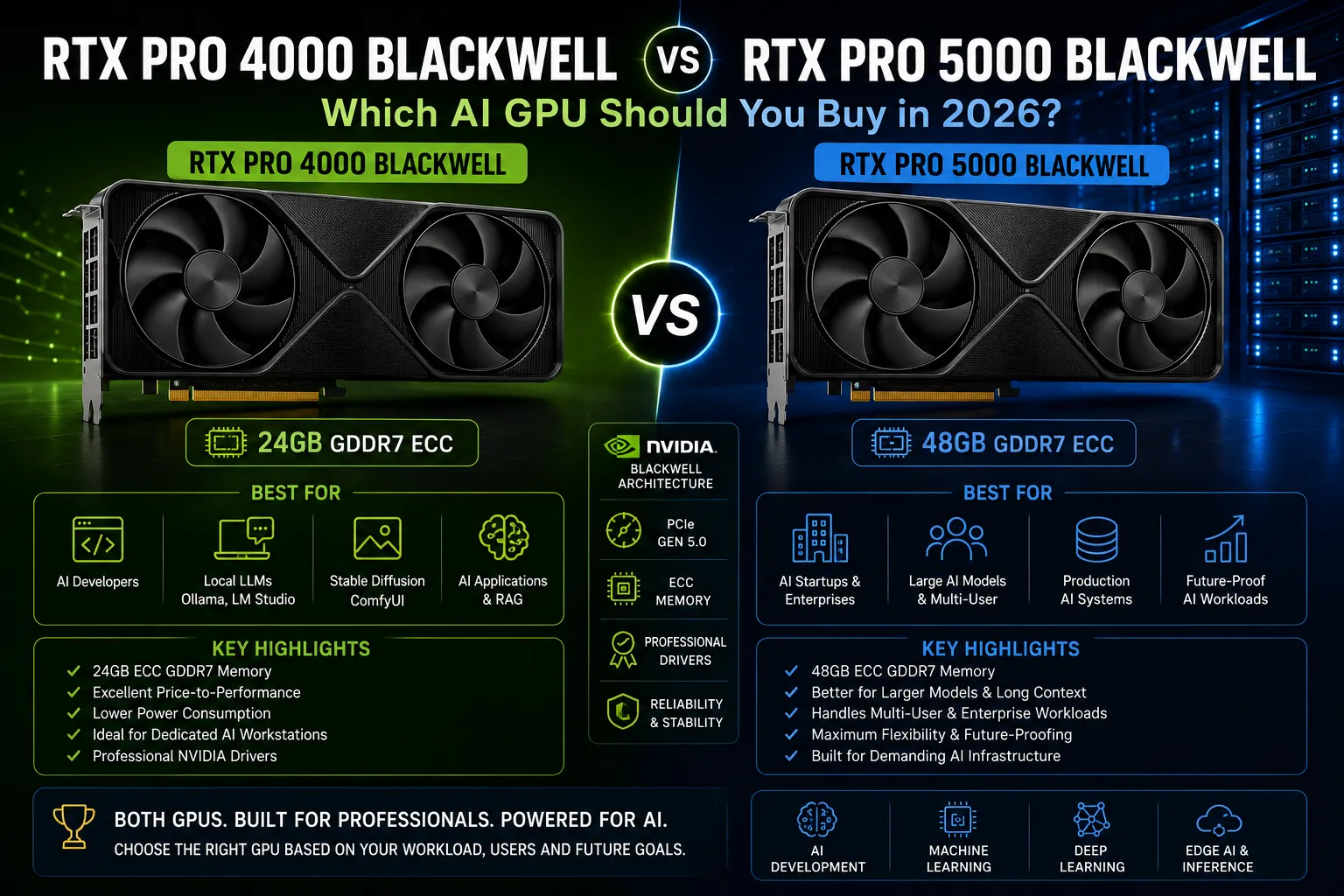
Best Entry-Level Professional AI GPU: RTX PRO 4000 Blackwell
Many users focus only on gaming GPUs and overlook workstation-class hardware.
The RTX PRO 4000 Blackwell is designed specifically for professional workloads and can be an excellent choice for AI developers who need reliability and stability.
Best For
-
AI development
-
Software engineers
-
Professional workstations
-
Small AI startups
Advantages
-
Professional-grade drivers
-
Workstation reliability
-
Lower power requirements
-
Better long-term stability
If your primary focus is AI rather than gaming, the RTX PRO 4000 Blackwell deserves serious consideration.
Internal Link:
View RTX PRO 4000 Blackwell →
Best Professional AI Workstation GPU: RTX PRO 5000 Blackwell
The RTX PRO 5000 Blackwell sits in a sweet spot between affordability and enterprise performance.
For businesses running AI workloads daily, this card provides significantly more headroom than entry-level workstation GPUs.
Best For
-
AI consultants
-
Production AI systems
-
Advanced inference workloads
-
Research projects
Advantages
-
Large VRAM capacity
-
Professional certifications
-
Stable 24/7 operation
-
Excellent AI performance
For many businesses, the RTX PRO 5000 Blackwell offers the best balance of performance and investment.
Internal Link:
Explore RTX PRO 5000 Blackwell →
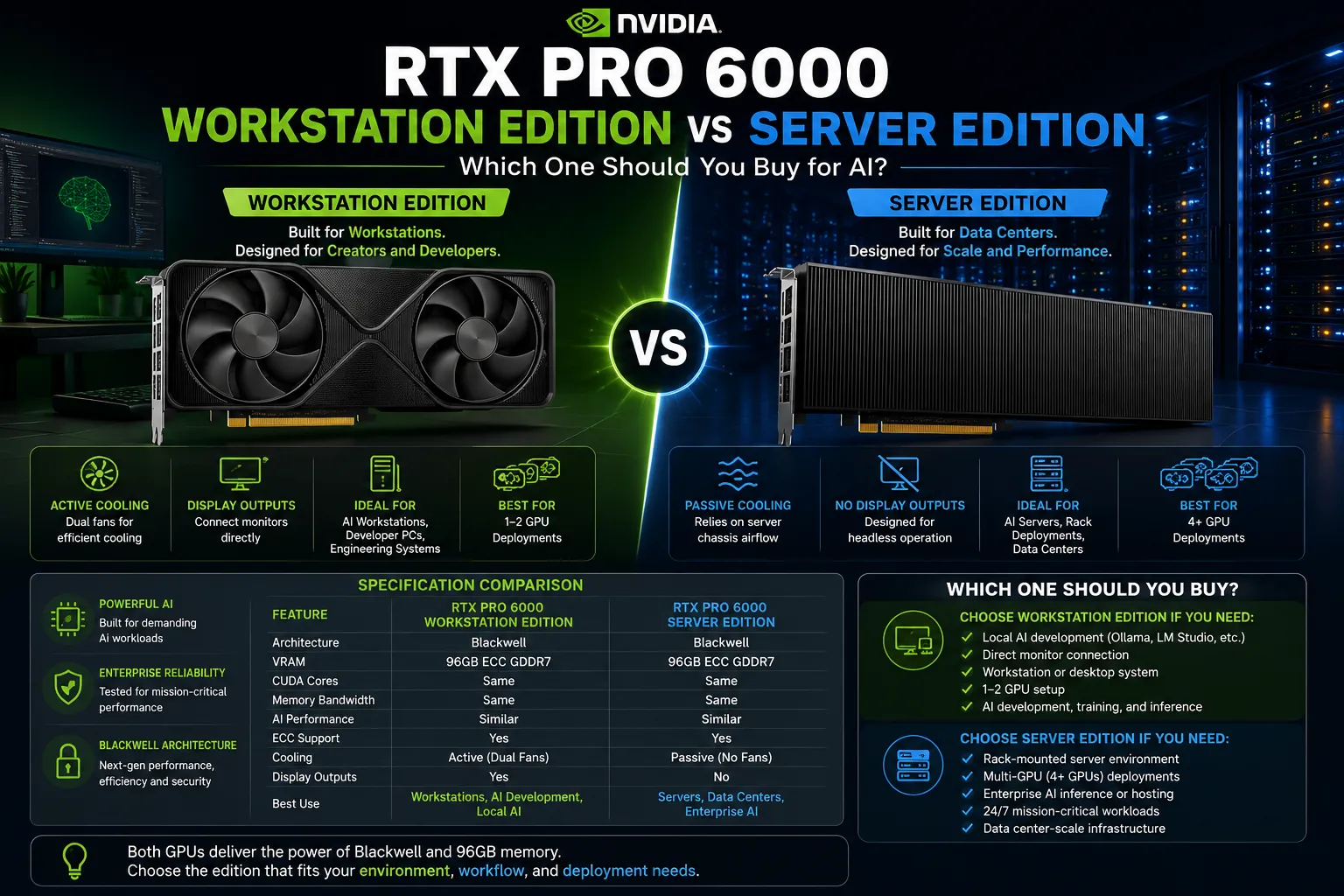
Best Enterprise AI GPU: RTX PRO 6000 Blackwell
For organizations building serious AI infrastructure, the RTX PRO 6000 Blackwell represents the highest tier of workstation-class AI hardware.
Best For
-
AI startups
-
Research laboratories
-
Enterprise deployments
-
Large-scale local AI workloads
Advantages
-
Extremely large VRAM capacity
-
Enterprise reliability
-
Advanced AI acceleration
-
Professional support ecosystem
If budget is not the primary concern and maximum AI capability is required, the RTX PRO 6000 Blackwell is one of the strongest options available today.
Internal Link:
View RTX PRO 6000 Blackwell Workstation GPUs →
RTX 5090 vs RTX PRO Blackwell GPUs
One common question is whether to choose a gaming GPU like the RTX 5090 or a workstation GPU from the RTX PRO Blackwell family.
Choose RTX 5090 If:
-
You want gaming and AI on the same system
-
You need maximum performance per rupee
-
You are a creator or enthusiast
Choose RTX PRO Blackwell If:
-
Stability is critical
-
The system runs AI workloads daily
-
Professional drivers matter
-
You are building a dedicated workstation
Recommended AI GPUs by User Type
| User Type | Recommended GPU |
|---|---|
| AI Beginner | RTX 5090 |
| AI Enthusiast | RTX 5090 |
| AI Developer | RTX PRO 4000 Blackwell |
| AI Consultant | RTX PRO 5000 Blackwell |
| AI Startup | RTX PRO 6000 Blackwell |
| Research Lab | RTX PRO 6000 Blackwell |
Final Verdict
The best GPU for local AI depends on how you plan to use it.
For users who want maximum AI performance and gaming capability in a single machine, the RTX 5090 remains the strongest consumer option available today.
For professional AI development and workstation deployments, the RTX PRO Blackwell series offers reliability, stability and enterprise-focused features that consumer GPUs cannot match.
As local AI adoption continues to grow in India, investing in the right GPU today can provide years of productive AI development, experimentation and deployment.