EasyShoppi Blog
How Much VRAM Do You Need for Local AI Models in 2026?
Artificial Intelligence has rapidly moved from cloud-only services to local machines. Today, tools such as Ollama, LM Studio, Open WebUI, ComfyUI and Stable Diffusion allow users to run powerful AI models directly on their PCs.
How Much VRAM Do You Need for Local AI Models in 2026?
Artificial Intelligence has rapidly moved from cloud-only services to local machines. Today, tools such as Ollama, LM Studio, Open WebUI, ComfyUI and Stable Diffusion allow users to run powerful AI models directly on their PCs.
One of the most common questions people ask when building an AI workstation is:
How much VRAM do I actually need?
The answer depends on the models you want to run, the size of your workloads and your future requirements. In this guide, we'll explain how VRAM affects AI performance and help you choose the right GPU for local AI workloads in 2026.
What is VRAM?
VRAM (Video Random Access Memory) is the memory available on your graphics card.
When running AI models locally, the model weights, context window, image generation data and inference calculations are loaded into GPU memory. If the model requires more memory than your GPU provides, performance drops significantly or the model may not run at all.
For local AI workloads, VRAM is often more important than raw gaming performance.
Why VRAM Matters for Local AI
Modern AI models continue to grow in size every year.
Higher VRAM allows you to:
-
Run larger language models
-
Use larger context windows
-
Generate higher-resolution AI images
-
Run multiple AI applications simultaneously
-
Improve inference speed
-
Reduce dependence on slower system RAM
Choosing a GPU with insufficient VRAM can limit your AI capabilities long before the GPU itself becomes outdated.
16GB VRAM: Entry Point for Local AI
A 16GB GPU is a good starting point for developers, students and AI enthusiasts entering the local AI ecosystem.
With 16GB VRAM, users can comfortably run:
-
Quantized 7B models
-
Quantized 13B models
-
Basic Ollama workloads
-
Stable Diffusion image generation
-
AI coding assistants
-
Lightweight RAG applications
For users looking to start experimenting with local AI without investing in high-end hardware, 16GB remains a practical entry point.
Recommended GPU: RTX PRO 2000 Blackwell 16GB
24GB VRAM: The Sweet Spot for Serious AI Users
For many local AI enthusiasts, 24GB VRAM is the ideal balance between cost and capability.
A 24GB GPU provides enough memory to:
-
Run larger language models
-
Handle advanced RAG workflows
-
Generate high-resolution AI images
-
Work with ComfyUI pipelines
-
Manage larger context windows
This level of VRAM is often recommended for professionals who use AI daily but do not require enterprise-level hardware.
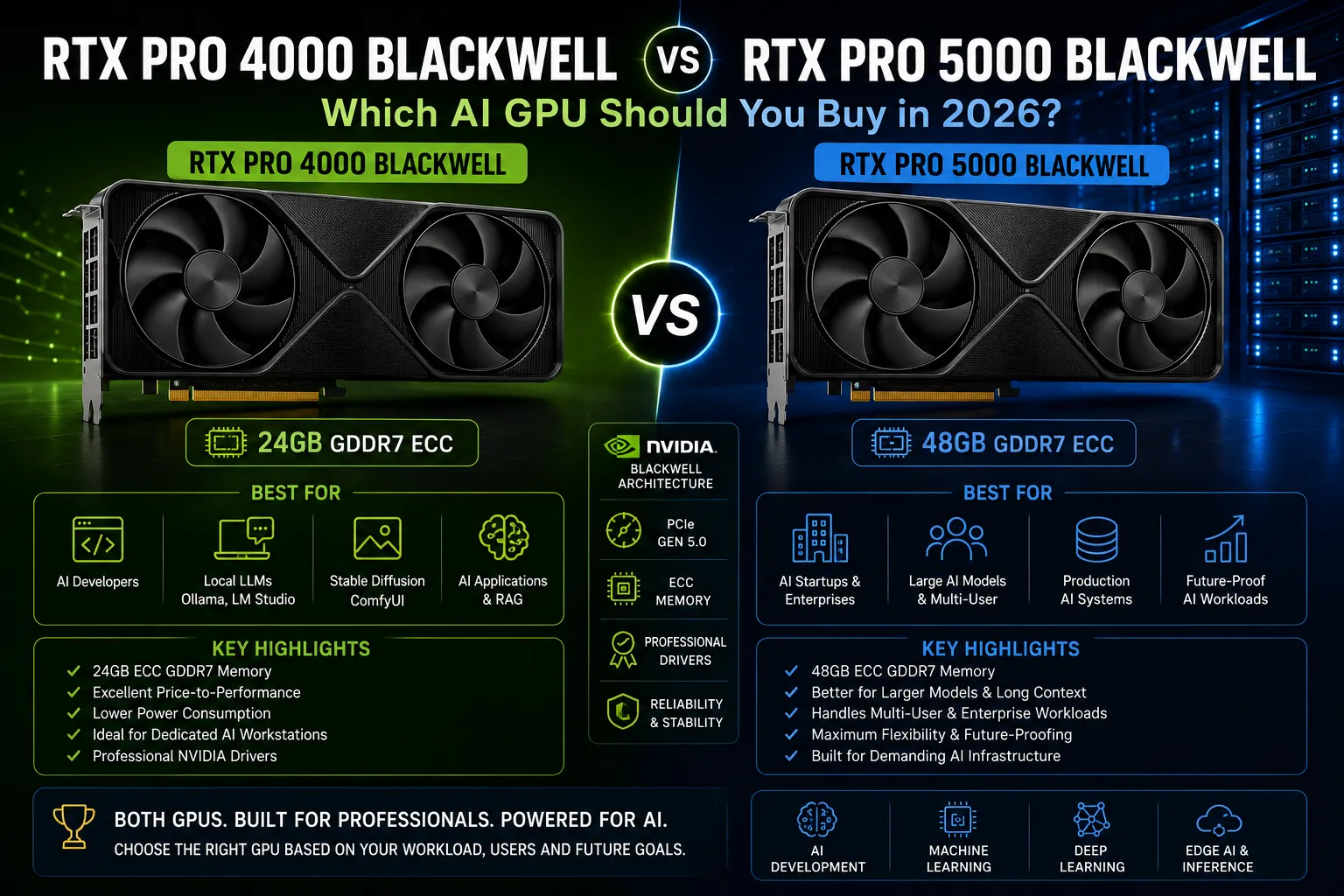
Recommended GPU: RTX PRO 4000 Blackwell 24GB
48GB VRAM: Professional AI Development
As AI workloads become more demanding, 48GB VRAM opens access to significantly larger models and more advanced workflows.
With 48GB VRAM, users can:
-
Run larger quantized LLMs
-
Build production AI applications
-
Support multi-user inference workloads
-
Work with advanced image and video generation pipelines
-
Deploy local AI solutions for businesses
This category is particularly attractive for AI consultants, startups and development teams.
Recommended GPU: RTX PRO 5000 Blackwell 48GB
96GB VRAM: Enterprise and Research Workloads
For organizations working with large-scale AI projects, VRAM requirements can become substantial.
A 96GB GPU is designed for:
-
Large language models
-
Enterprise AI infrastructure
-
Research environments
-
AI startups
-
Multi-model deployments
-
Advanced fine-tuning workloads
While this level of hardware is unnecessary for most home users, it provides significant flexibility for organizations planning long-term AI deployments.
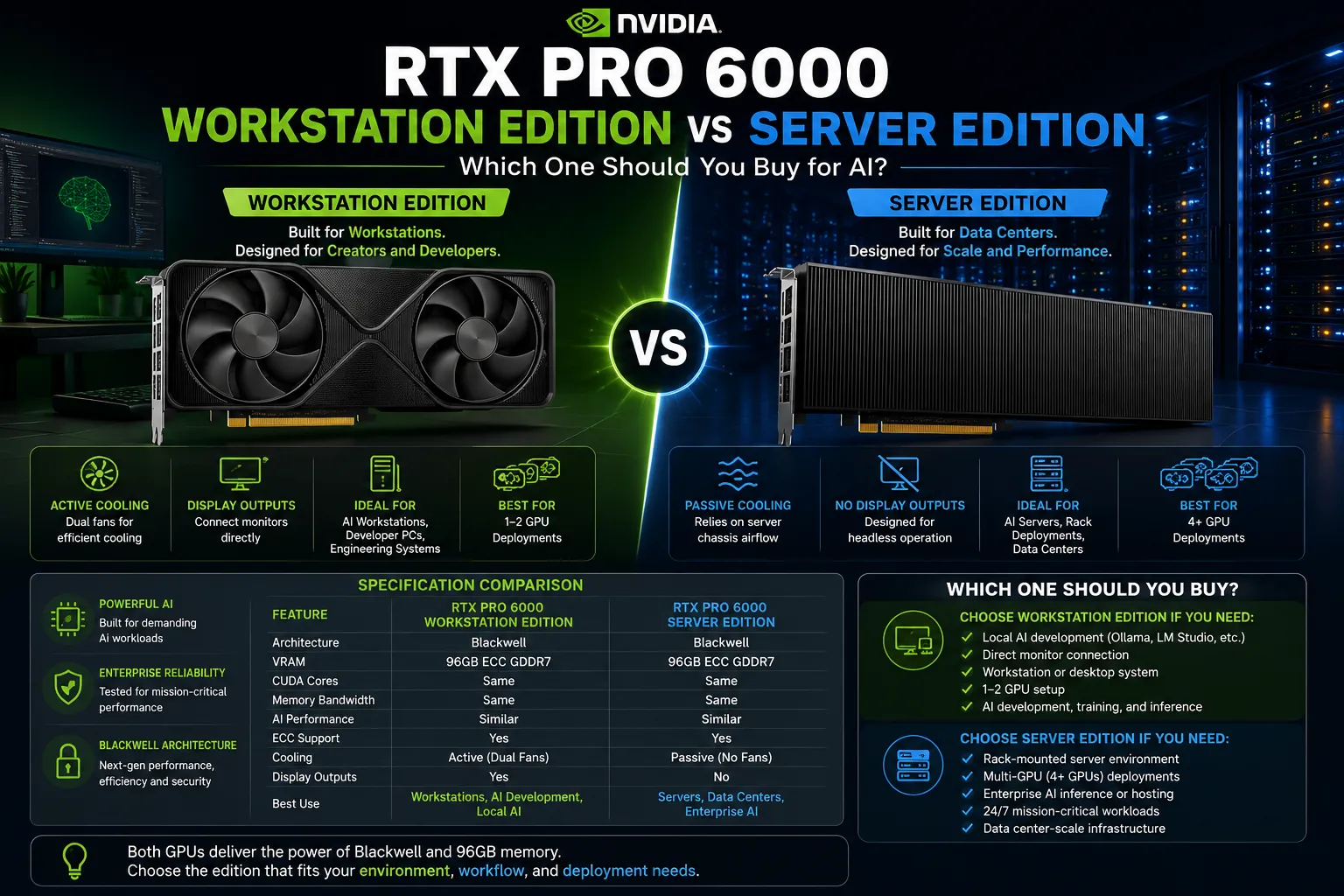
Recommended GPU: RTX PRO 6000 Blackwell 96GB
How Much VRAM Do You Actually Need?
The right amount of VRAM depends on your goals.
| Use Case | Recommended VRAM |
|---|---|
| AI Learning & Experimentation | 16GB |
| Local LLMs & Daily AI Usage | 24GB |
| Professional AI Development | 48GB |
| Enterprise AI Workloads | 96GB |
Most users building a dedicated local AI workstation today should consider at least 24GB VRAM for future flexibility.
Can You Run AI Models with Less VRAM?
Yes.
Techniques such as:
-
Quantization
-
GGUF models
-
Offloading to system RAM
-
Lower context lengths
allow smaller GPUs to run surprisingly capable AI models.
However, these optimizations often involve performance trade-offs.
If AI is a core part of your workflow, investing in additional VRAM usually provides a better long-term experience.
Future-Proofing Your AI Workstation
AI models are becoming larger, more capable and increasingly memory intensive.
A GPU that feels sufficient today may become limiting within a few years.
When choosing a GPU, consider not only your current requirements but also where your AI usage may be in the future.
For many professionals, moving from 16GB to 24GB or 48GB VRAM can dramatically extend the useful life of an AI workstation.
Final Verdict
When building a local AI workstation in 2026, VRAM should be one of your highest priorities.
For beginners, 16GB remains a strong entry point.
For serious AI users, 24GB offers an excellent balance between performance and affordability.
For professional deployments and advanced AI workflows, 48GB and 96GB workstation GPUs provide the memory capacity needed to handle increasingly demanding AI models.
As local AI adoption continues to grow, choosing the right amount of VRAM today can save you from expensive upgrades tomorrow.